
Preggers: Pregnancy & Baby App
Stroller ABParenting
4.890.00 Reviews
- Version
- 4.14.0
- Installs
- 100.00K
- Age Rating
- Everyone
Screenshots
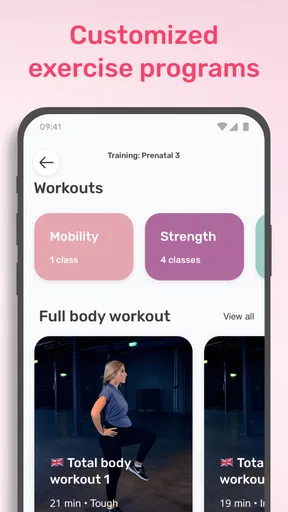
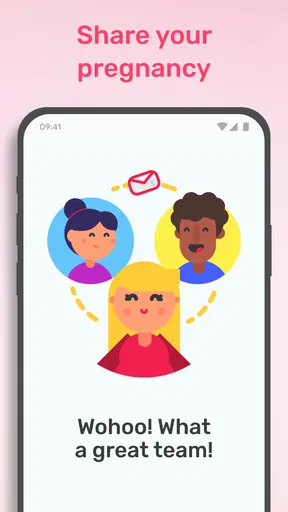
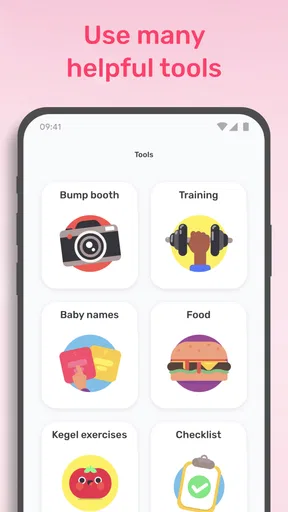
Our Review of Preggers: Pregnancy & Baby App
 Analysis by Appyee
For many people, the first weeks of pregnancy bring a practical question alongside the excitement: how do I keep track of what matters without turning every spare minute into research? I see Preggers: Pregnancy & Baby App as a pocket companion for that in-between space. It is a free parenting app from Stroller AB, and its mix of pregnancy and baby-oriented tools is aimed at people who want a little structure as their family plans change. Its 4.9 average from around 1,600 ratings suggests many users value the experience, though an app can support a personal journey without replacing advice from a midwife or doctor.
The useful way to approach it is not to expect one app to manage every part of parenthood. Instead, I would use Preggers as a home for small, timely prompts and practical ideas: check what is relevant to the current stage, make a short list, and decide what deserves attention today. That keeps the app in its best role—as a companion to real conversations and decisions, not an authority on health or a substitute for professional care.
First Impressions
Opening the Preggers: Pregnancy & Baby App for the first time was like stepping into a warm, welcoming space. The interface is sleek and user-friendly, with soft, calming colors that immediately put you at ease. It's clear they've designed this app to be soothing, which is exactly what you need during such an exciting yet nerve-wracking time.
The setup process is straightforward. You input your due date or your baby's birth date, and the app begins to customize your experience right away. It's like having a personal assistant who knows exactly what you're going through.
Making a useful routine from the tools
Once I had the basic context in place, I would treat the app as a brief check-in rather than a task list to complete. A practical routine is to open it when there is a natural pause—over breakfast, on a commute, or while waiting for an appointment—look at the stage-related information, then save only the points that matter to the family. That small filter prevents a stream of advice from becoming another source of pressure.
The name and checklist tools make more sense when used together, but not necessarily in one sitting. A couple might browse trending names separately, each mark a few possibilities, then return to the list later to talk through what they both like. The checklist can catch practical preparations that are easy to forget when attention is on the pregnancy itself. I would keep it as a prompt for discussion, not a rigid standard of what every household must buy or finish.
Features that Stand Out
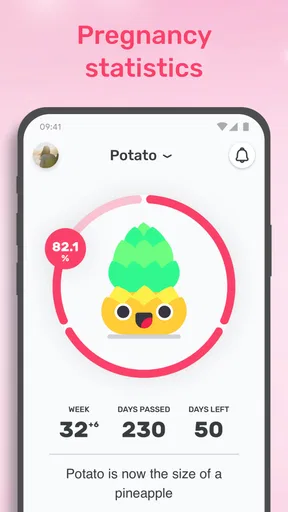
Now, let's talk about the features, because that's where this app really shines. One of the most useful aspects is the week-by-week guide. It gives you detailed information about what to expect during each stage of pregnancy or your baby's development. It's like having a baby book, but always up-to-date and right in your pocket.
The app also includes a community section, which is a lifesaver. You can connect with other parents and parents-to-be, ask questions, share experiences, and feel reassured that you're not alone on this journey. It's like having a support group at your fingertips.
What the visual comparisons are good for
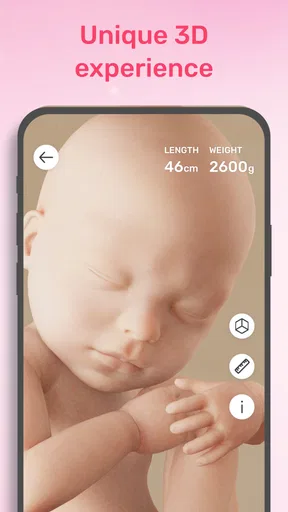
The 3D baby-size display and fruit comparisons offer a more tangible way to picture a stage that can otherwise feel abstract. I would use them as conversation starters or a light daily moment, not as precise measurements or a way to assess whether a pregnancy is progressing normally. That distinction matters: visual metaphors can make an update memorable, but health questions belong with a qualified care provider.
They can also be handy when sharing the experience with someone who is not following every appointment. Showing a partner or relative a simple comparison may help explain why a particular week feels significant, without asking them to read a long article. It is a small social use, but those easy handoffs can make a tracking app more useful than a private stream of information.
Tracking and Reminders
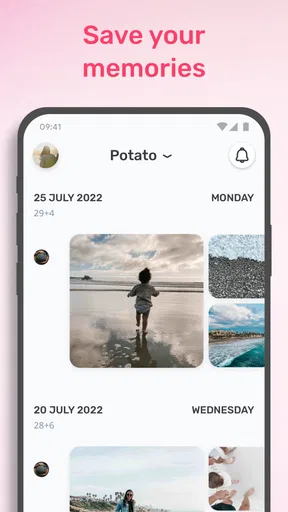
Another feature I found incredibly helpful is the tracking system. You can log everything from your baby bump photos to doctor's appointments, and even your mood swings. The app then sends you gentle reminders about upcoming appointments or things you might be interested in tracking. It's like having a digital diary, keeping everything organized for you.
And let's not forget about the reminders for staying healthy. Whether it's drinking enough water or taking a prenatal vitamin, these notifications keep you on track without being too intrusive.
For a busy day, I would use reminders selectively and make the calendar the source of truth for appointments. That is a useful division of labor: let a reminder nudge you about a routine, but confirm medical dates and instructions with the clinic or your own calendar. Too many alerts can become background noise, so it is worth deciding which prompts are genuinely helpful rather than leaving every notification to compete for attention.
Sharing the planning without handing over decisions
Pregnancy preparation often involves several people, but each person may be looking for something different. One may want practical tasks, another may want reassurance, and a relative may simply want to know what stage the family is in. The app can provide material for those conversations, while the family still chooses what to share and what to keep private. I would avoid treating a shared checklist as proof that everyone has the same priorities; it works better as a starting point for agreeing who will handle what.
For example, a partner could take one item from the checklist and confirm what is actually needed before buying anything. That extra conversation helps avoid duplicate purchases and keeps a generic prompt from becoming an unnecessary expense. It also makes the checklist useful even for people who prefer to shop slowly or borrow items rather than follow a standard preparation plan.
Educational Resources
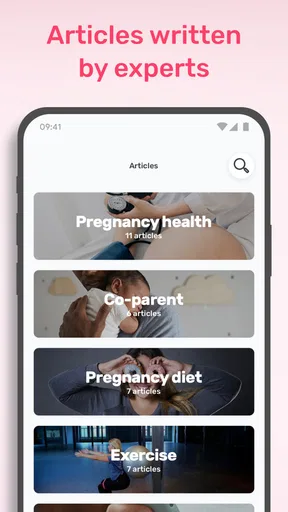
For those who love learning, the app doesn't disappoint. It offers a rich library of articles and tips on everything from pregnancy nutrition to baby sleep patterns. It's a treasure trove of information that you can dive into whenever you have a spare moment. Plus, the content is written by experts, so you know you’re getting reliable advice.
I would still read health-related material with a clear boundary in mind: general education can help me form better questions, but personal symptoms and medical choices need individualized guidance. A useful workflow is to note a question while reading, then bring it to the next appointment instead of trying to settle it through a quick search. That way, the app supports a better handoff to care rather than competing with it.
Design and Usability
In terms of design, the app remains intuitive and easy to navigate. The developers have clearly put a lot of thought into the user experience. Menus are straightforward, and everything seems to be just a tap away. Even if you're not tech-savvy, you'll find it simple to use.
The app's notifications are also worth mentioning. They're timely and relevant, helping you stay informed without feeling overwhelmed. It's a delicate balance, and Preggers nails it.
On the practical side, Preggers is free to install, has an Everyone content rating, and is listed for devices running Android 6.0 or later. The current version is 3.11.1, and it has passed 100,000 installs. Some in-app purchases are available, ranging from $0.99 to $84.99 per item, so I would check the price shown for any optional purchase before committing. You do not need to make spending the center of the experience: first decide whether the free tools fit your routine, then consider an add-on only if it solves a specific need.
Compared with a paper pregnancy journal, an app is easier to carry and can surface stage-based material without flipping through pages. Compared with a general notes app, Preggers brings pregnancy-oriented content and planning tools into one place, but a plain calendar may still be better for appointment management if that is all you need. Likewise, someone who prefers a clinician’s handouts and a private notebook may find that simpler arrangement more comfortable than a dedicated app.
Where the flow can feel less useful
The same breadth that makes Preggers convenient can also make it feel busy. If you only want a due-date counter, the articles, planning prompts, names, and other material may be more than you need. And while a community can ease the feeling of going through something alone, other families’ stories are personal experiences, not a dependable answer for your own symptoms or decisions. I would browse that space for empathy and perspective, then take anything medically important to a professional.
There is also a natural change in usefulness after birth. A parent focused on feeding schedules, sleep logs, or a detailed shared care record may prefer a dedicated baby tracker or a simple system both caregivers can update. Preggers can remain a source of stage-related guidance and planning, but it should not be assumed to replace every specialized tool a family might need. The best choice depends on whether its broad mix still matches the questions you are asking now.
Who will get the most from it
I think Preggers is best suited to an expectant parent who likes brief explanations, visual context, and gentle organization in one place. It can also help a partner who wants an easy way to follow along and contribute to preparation, especially when the person carrying the pregnancy is already handling appointments and other details. A realistic use is checking the current stage during a lunch break, picking one practical task from the checklist, and discussing it together that evening rather than trying to plan everything at once.
It is less compelling for someone who dislikes notifications, avoids pregnancy apps for privacy or personal reasons, or wants an authoritative medical record rather than general guidance and prompts. In those cases, a paper planner, clinic materials, or a calendar shared with a partner may be a better fit. The app is most helpful when it reduces mental clutter; if it adds another inbox to manage, there is no reason to force it into the routine.
Final Thoughts
All in all, Preggers: Pregnancy & Baby App is a fantastic tool for anyone embarking on the journey of parenthood. It's packed with features that are both practical and comforting, making it a must-have for expectant and new parents alike.
If you're looking for an app to guide you through pregnancy and early parenthood, I highly recommend giving Preggers a try. It's like having a knowledgeable friend with you every step of the way, ready to offer support and information whenever you need it.
So, why wait? Dive into the world of Preggers and embrace this beautiful journey with confidence and support. You won't regret it!
Privacy and Permissions
See what permissions an app requests and how it handles your data.
- Phone
- read phone status and identity
- Photos/Media/Files
- read the contents of your USB storage, modify or delete the contents of your USB storage
- Storage
- read the contents of your USB storage, modify or delete the contents of your USB storage
- Camera
- take pictures and videos
- Wi-Fi connection information
- view Wi-Fi connections
- Device ID & call information
- read phone status and identity
- Other
- view network connections, full network access, control vibration, prevent device from sleeping
Verdict
Strengths of Preggers: Pregnancy & Baby App
- Comprehensive pregnancy tracking features.
- Weekly updates on baby development.
- Personalized tips and advice.
- User-friendly interface and design.
- Community support from other parents.
Limitations of Preggers: Pregnancy & Baby App
- Limited features in the free version.
- Occasional app crashes reported.
- Some content is region-specific.
- Requires constant internet connection.
- Ads can be intrusive for free users.
Similar Picks in This Category
View All
Family Space
Motorola Mobility LLC.3.9

شرطة الأطفال - مكالمة وهمية
Oub Apps4.1

Findmykids: Parental Control
LETEM LTD4.6

Pregnancy + | Tracker App
Philips Electronics UK Limited4.8

Policía de niños - para padres
Kids police4.7

Pregnancy App
Amila4.9
Frequently Asked Questions
What features does the Preggers app offer for expectant mothers?
Preggers provides a comprehensive suite of features for expectant mothers, including weekly pregnancy updates, personalized health tips, and a kick counter. Users can track their baby’s growth and receive tailored advice to manage their health and well-being. Additionally, the app offers a community forum for sharing experiences and advice with other expectant parents.
Is Preggers free to use, or does it require a subscription?
Preggers offers a range of features free of charge; however, there are premium options available through a subscription model. The premium version includes advanced tracking tools, personalized content, and access to exclusive resources, enhancing the overall user experience for those seeking more detailed information and support.
How reliable is the information provided by Preggers?
The Preggers app is designed to offer reliable, evidence-based information. Content is curated by healthcare professionals and pregnancy experts to ensure accuracy. Users can trust the app for credible advice on prenatal health, nutrition, and fitness, though it’s always recommended to consult with a healthcare provider for personal medical concerns.
Can Preggers be used by partners or family members to support the pregnancy journey?
Yes, Preggers encourages involvement from partners and family members. The app includes features designed for partners to track the pregnancy journey, providing tips and insights on how to support the expectant mother. This collaborative approach helps build a supportive environment through shared knowledge and experiences.
Is Preggers available for both Android and iOS devices?
Preggers is available on both Android and iOS platforms, ensuring wide accessibility for users regardless of their device preference. The app can be downloaded from Google Play Store for Android users and the Apple App Store for iOS users, making it easy to access from any smartphone or tablet.
